Creating a policy
Title, reference, category, review period and owner.
Creating a policy only takes a title. Everything else can be filled in or changed afterwards.
Who can do this: Managers and administrators.
Create it #
- Open Policies and press Add a policy.
- Fill in the form (below) and press Create policy.
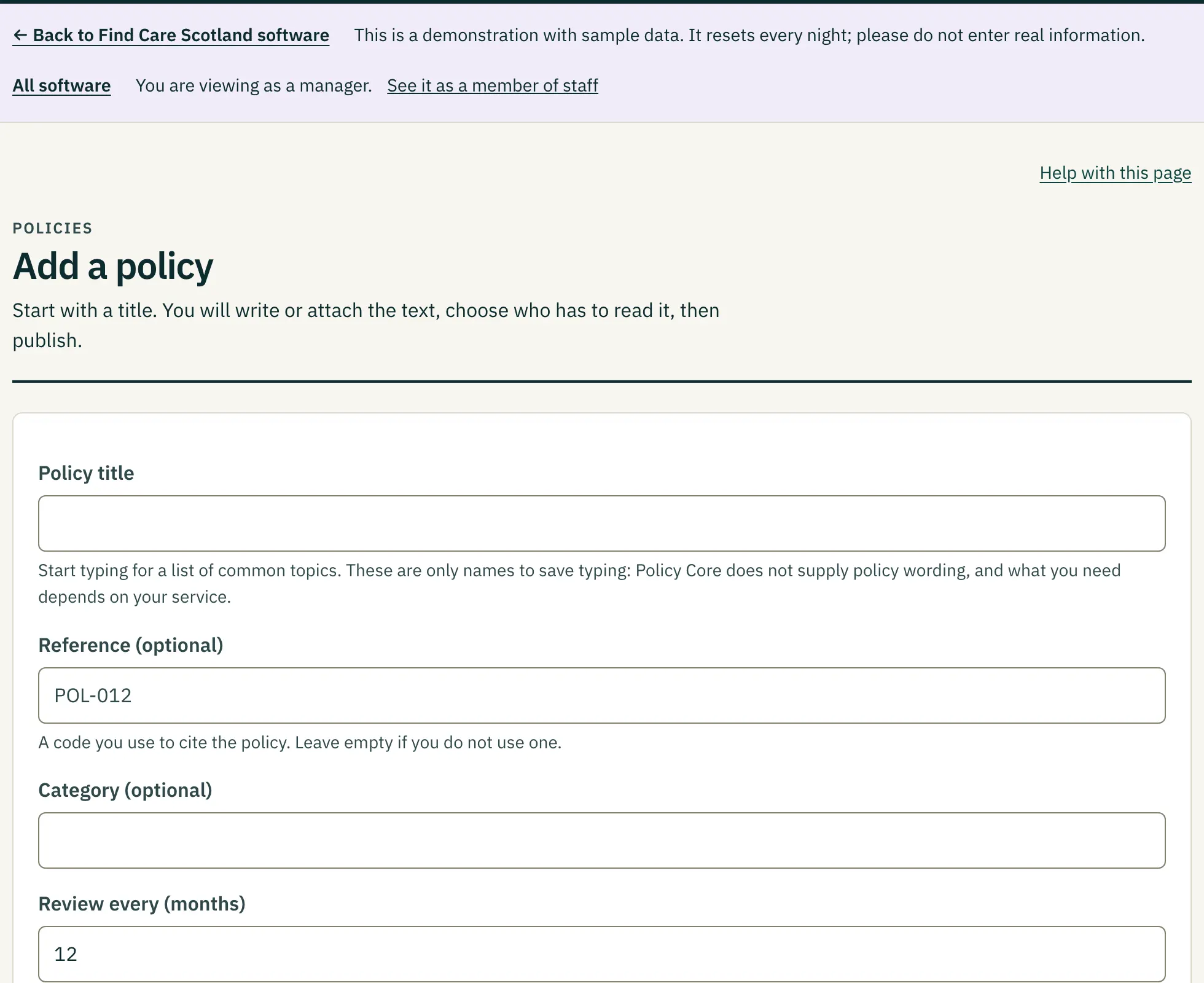 (opens a larger view)
You should see: the policy's edit page, with the message "Policy created. Add its sections, choose who has to read it, then publish."
The boxes #
- Policy title
- Required. As you type, a list of common topic names is offered to save typing (for example "Complaints" or "Medication"). They are names only: Policy Core does not supply any wording, and what a service needs depends on the service. Up to 200 characters.
- Reference
- Optional. A code you use to cite the policy, such as POL-012. It must be different from every other policy's reference in your organisation. If you type one that is already used you are told and the policy is not created.
- Category
- Optional. A group for the library and compliance filters, such as "Health and safety". Type a new one or choose an existing one. Categories are created by typing them.
- Review every (months)
- How often the policy should be reviewed, from 1 to 60 months. It starts at your organisation's default (see Organisation settings and the activity log). The first review date is set when you publish.
What happens next #
The policy starts as a draft containing one empty version. A draft is visible only to managers and administrators. Staff cannot see it and nobody is asked to read it. It is listed under Drafts in the library (choose Drafts in the Show box).
Next: Building the sections of a policy.
Changing the details later #
Open the policy, press Edit this policy, and use About this policy (title, reference, category, review period and owner). Press Save these details. These belong to the policy rather than to a version, so you can change them at any time, even when the policy is published, without starting a new version.
- Owner: the manager or administrator responsible for keeping the policy up to date. They are shown on the reviews list.
- Changing the title does not change the policy's web address, so existing links keep working.
Deleting a policy you started by mistake #
A policy that has never been published can be deleted from the bottom of its edit page (Delete this draft policy). Once published, a policy can only be archived, because people may have confirmed they read it. See Archiving, restoring and deleting.
Is something wrong, unclear or missing on this page? Tell us what is wrong or missing on this page. We read every message and fix what we get wrong.